See what fully managed IT would cost
Get a straight answer on what fully handled IT would cost your business.
✔️No “discovery calls”
✔️No surprise invoices
✔️No B.S.
(And How Clinics Fix It Without Buying a New Server)
Monday. 8:03 a.m.
Phones are ringing. The waiting room is filling up. The schedule is full. Staff is logging in like normal.
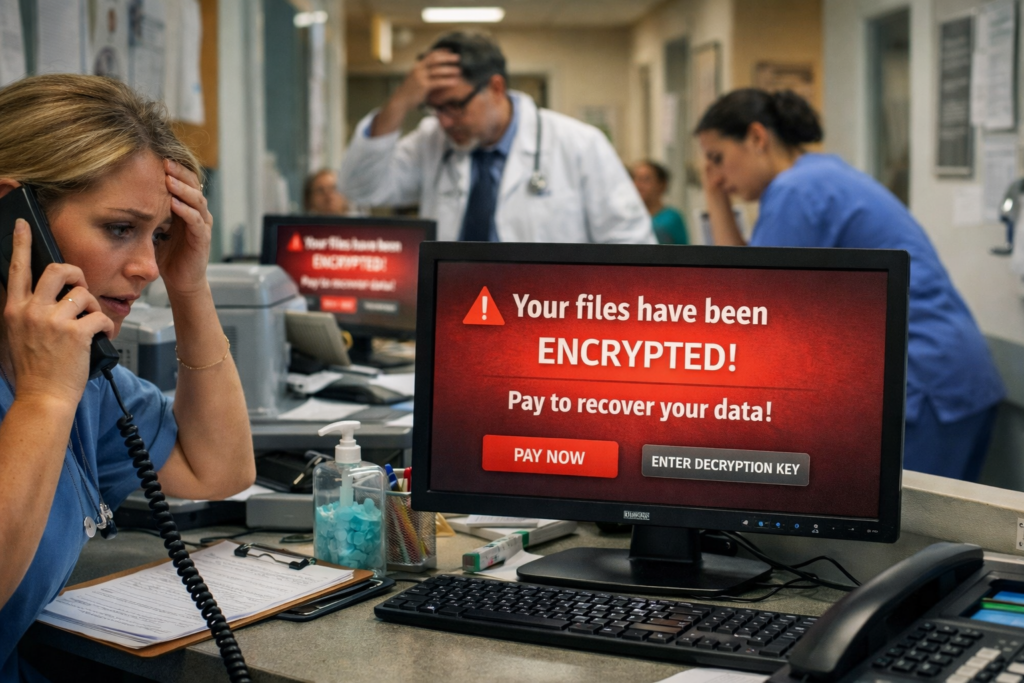
Then a message pops up on every screen:
“Your files have been encrypted. Pay to recover.”
Suddenly charts won’t open. Imaging won’t load. Billing software won’t start. The front desk can’t check patients in. The day grinds to a halt.
You call your IT provider in a panic.
And then you hear the sentence no clinic owner ever expects:
“Your backups were encrypted too.”
Most people picture ransomware as “a computer virus.”
In a clinic, it’s much bigger than that.
When an attack hits, it usually impacts:
Electronic medical records
Scheduling systems
Shared drives with forms and documents
Imaging and X-ray software
Billing and insurance systems
Even basic files like spreadsheets and Word documents
It doesn’t just inconvenience you.
It shuts the doors.
Patients can’t be seen. Claims can’t be submitted. Prescriptions can’t be accessed. Staff is standing around getting paid to do nothing.
And the clock is ticking.
That’s why clinics rely on backups as their safety net.
But here’s the uncomfortable truth…

Most clinics think they have good backups.
And most of them are wrong.
The single most common failure we see is this: Backups that are connected to the network 24/7.
It sounds logical, right?
Your server backs up to another device in the office or to a cloud service every night. Everything is automatic. No one has to think about it.
But here’s the problem: Modern ransomware doesn’t just encrypt your main computer.
It actively searches for your backups and encrypts those too.
If your backup is always online and always connected, the attacker treats it like just another hard drive.
So when the clinic finally needs that backup…
…it’s just as locked as everything else.
This is the exact scenario that turns a bad day into a disaster.
Good backups aren’t about fancy software. They’re about smart design.
Every clinic should have three different layers of backups:
This is the quick, convenient copy you can restore from fast if something small goes wrong.
Deleted file. Corrupted database. One bad computer.
This backup is meant for speed.
This is the critical one most clinics don’t have.
A backup that is:
Not always plugged in
Not always accessible
Not visible to the network
Think of it like a fireproof safe.
It’s there for the worst-case scenario—when everything else gets hit.
If ransomware can’t “see” it, ransomware can’t destroy it.
If your building floods, burns, or gets hit with a major outage, you still need a copy somewhere else.
Offsite backups protect against:
Natural disasters
Theft
Hardware failure
Total office loss
When all three of these layers exist together, a clinic can survive almost anything.
Without them, you’re gambling.
You don’t need to be technical to know whether your backups are real.
Ask one basic question:
“Can we restore something right now?”
A proper backup system should be able to do two things on demand:
Restore a single patient file
Restore an entire computer or server
If your IT provider can’t demonstrate that quickly and clearly, you don’t have backups.
You have hope.
And hope is not a strategy.
Backups fail for more reasons than just bad configuration.
We constantly see clinics exposed because of:
Shared logins everyone uses
Vendors with permanent remote access
Old accounts that were never disabled
Staff using weak or reused passwords
Remote access shortcuts created “for convenience”
All of these create open doors that attackers love.
Even the best backup plan can be ruined if too many people have too much access.
Security and backups go hand in hand.
You don’t need to become an IT expert.
You just need good answers to these five questions:
“Show me the last time you tested a restore.”
Not a report. Not a dashboard. An actual restored file or system.
“Where is our disconnected backup?”
If the answer is “we don’t have one,” you have a serious gap.
“If our main server died today, how long until we could see patients again?”
The answer should be measured in hours—not days.
“What happens if ransomware encrypts the backups we use every day?”
There should be a clear, confident plan.
“Who gets alerted at 2 a.m. if backups fail?”
Someone needs to actually be watching.
If your provider struggles to answer these, it’s not a minor issue.
It’s a business risk.
Every clinic should have, at minimum:
A written backup plan
Three separate backup layers
Regular restore tests
Documented recovery steps
Limited admin access
Multi-factor authentication
A clear emergency contact chain
An estimated “time to recovery”
This doesn’t require a huge budget.
It requires discipline and the right structure.
You don’t need perfect security.
No clinic has that.
What you need is something much more practical:
A recovery plan that actually works when the worst happens.
Ransomware doesn’t have to be a death sentence for your practice.
But relying on “whatever backups we already have” is one of the riskiest assumptions a clinic can make.
The good news?
Most clinics can fix these gaps without replacing servers, buying expensive hardware, or disrupting daily operations.
They just need the right setup.
If ransomware hit your clinic tomorrow morning…
Would you be back up and seeing patients by the afternoon?
Or would you be negotiating with criminals?
That answer depends entirely on how your backups are built today.
Get a straight answer on what fully handled IT would cost your business.
✔️No “discovery calls”
✔️No surprise invoices
✔️No B.S.